.svg?fit=max&auto=format&n=4BvtygOXs3hHZrao&q=85&s=2d54ce0d4e48743a47aceb6e35df0475)
.svg?fit=max&auto=format&n=4BvtygOXs3hHZrao&q=85&s=a95703c6206c13aa4cd56f983e822a01)
How to Run an Extraction
Step 1: Create an extraction
On the Web App, select the Extractions tab in the top menu bar. Create a new extraction set by clicking on New Extraction on the top right. You can also add documents to an existing extraction table by selecting the existing extraction group from the column on the left.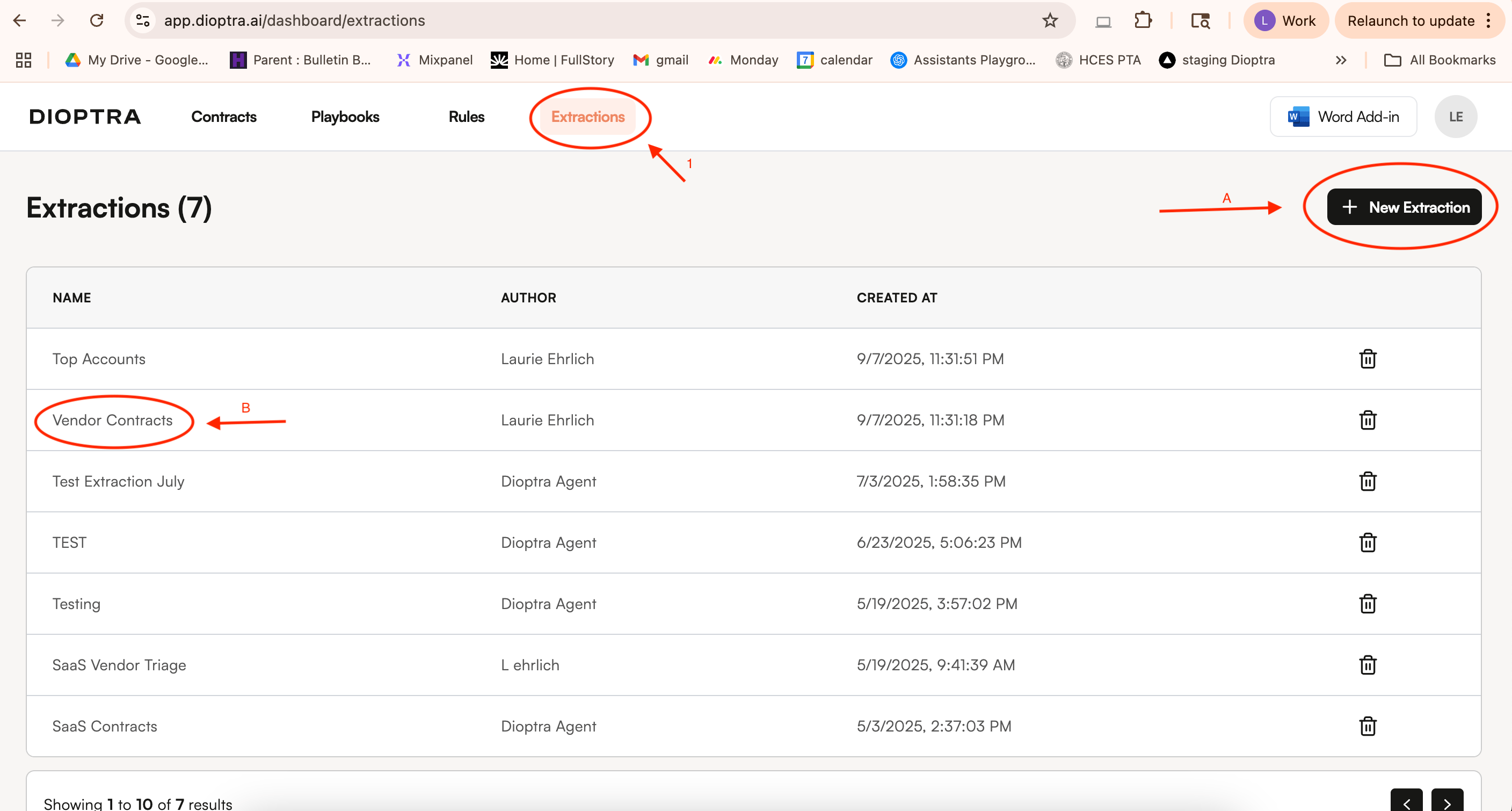
Step 2: Add your documents and your desired data points
Add documents where you want to pull out terms and add columns to identify the terms you want to extract. You can ask for yes/no answers, actual extracted text, or summaries of issues.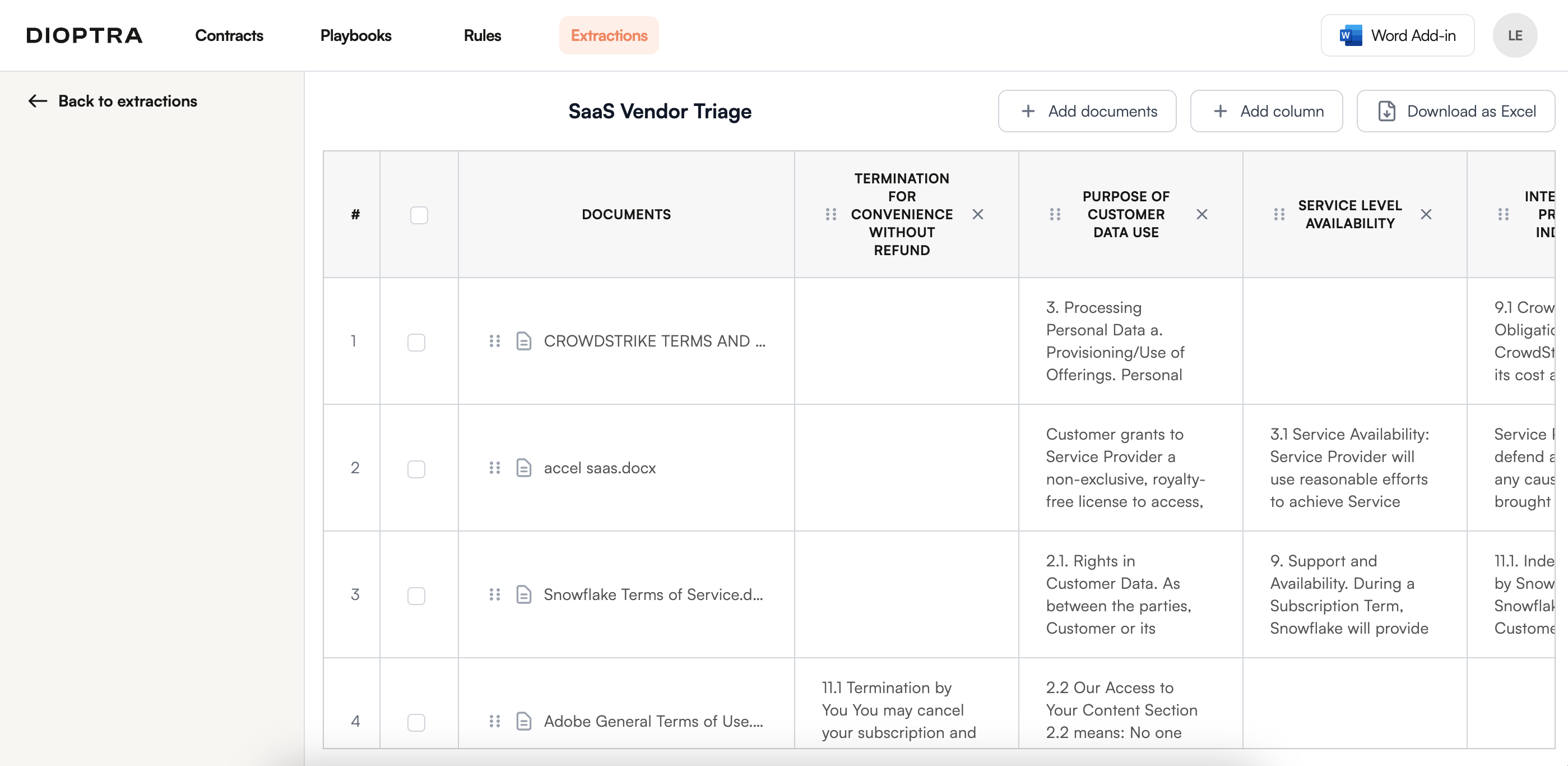
- Counterparty Identification: The party to the agreement that is not “your own company name”
- Document Type: describe the type of document (e.g. email. master agreement, purchase order, amendment, etc)
- Short Summary: one sentence summary of the document
- Parent Agreement Identification: For documents that are purchase orders, orders, quotes, amendments, or other forms of documents that are related to (but are not) top-level agreements, identify the name and date of the controlling/top-level agreement (e.g. the master agreement, the software license agreement, etc).